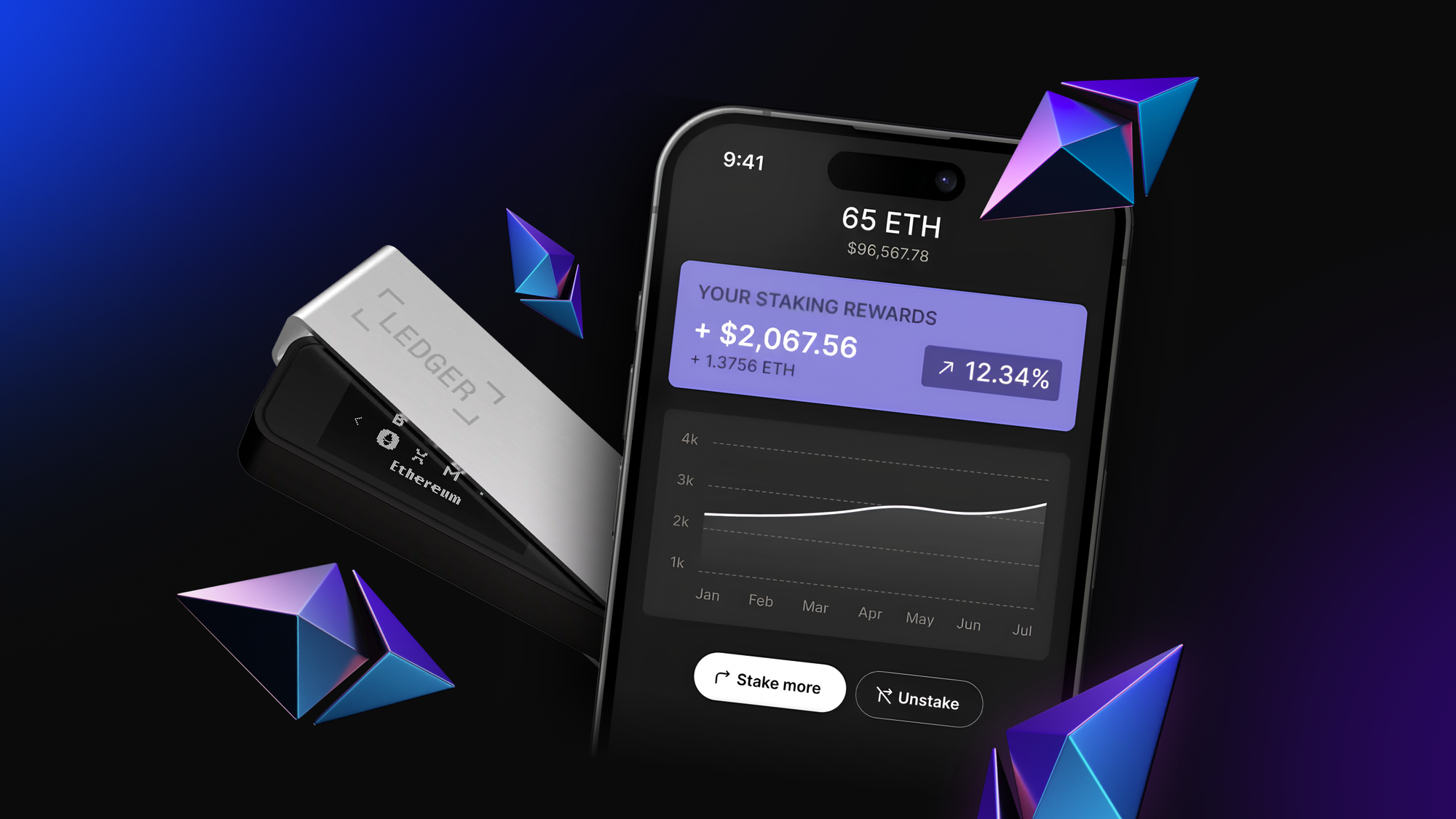
After months of expanding our institutional reach across custody platforms and blockchain networks, P2P.org is now available in Ledger Live. Over 7 million Ledger hardware wallet users can now natively stake ETH with P2P.org through a non-custodial integration.
As one of the world’s most trusted Ethereum validators, used by hundreds of institutions, P2P.org is now available in Ledger’s hardware interface. It’s a new milestone in bringing secure, on-chain staking to the masses, without ever compromising Ledger’s core promise of full user control and custody..´
Institutional Infrastructure, Individual Access The same validator setup that secures $10+ billion for 100+ institutions is now available through your Ledger device. 99.99% uptime, zero slashing incidents, and a 98.4% 30-day RAVER score.
No wrapped tokens, no smart contract risks, no custody handoffs. Your ETH goes directly to Ethereum validators while your keys stay on your own hardware wallet.
Every validator metric is publicly verifiable. Track performance, rewards, and uptime through our dashboards, via Rated or directly on-chain.
Ledger has long been the go-to name for digital asset security, protecting over 20% of global crypto assets across 7+ million devices. Now, that same bulletproof self-custody comes with an added superpower: Native ETH staking on P2P.org directly in Ledger Live.
With Ethereum staking embedded directly into the Ledger Live app, users can participate in securing the network and earning protocol-level rewards, all without ever leaving the wallet interface or giving up control of their funds.
This native staking experience is designed to match Ledger’s core principles:
Staking ETH becomes a natural extension of holding ETH.
As one of the top Ethereum validators globally, P2P.org operates high-stakes infrastructure, securing over $10 billion across 40+ networks and consistently delivers 99.99% uptime with zero slashing incidents.
This track record makes P2P.org a natural choice for staking within Ledger Live.
Users can now stake ETH in just a few steps:
Staked ETH is delegated directly to a P2P.org validator. All rewards and slashing risks are transparently managed at the protocol level: no hidden logic, no opaque wrappers.
Everything happens on-chain, and you maintain full control of your assets throughout the process.
This integration reflects a broader trend: wallets are becoming the gateway to crypto participation. With P2P.org's modular staking infrastructure, financial institutions, custodians, and developers can embed native staking flows without building backend infrastructure.
Rather than relying on external dApps or aggregators, staking flows are now being embedded directly inside the most trusted user-facing applications.
With the Ethereum integration now live in Ledger Live, P2P.org continues expanding its mission of bringing secure, protocol-native staking to users at scale. We're planning targeted incentive campaigns for Ledger Live users and educational content to help maximize network rewards.
This represents our biggest retail expansion following recent institutional partnerships with Balance Custody, Fireblocks, and leadership in emerging networks like Babylon's Bitcoin staking.
<p>If you hold ETH in your Ledger wallet, you can now put it to work, securely and natively, through a direct integration with P2P.org, one of Ethereum’s most trusted validator operators.</p><p>This guide will walk you through how to stake ETH inside Ledger Live using the P2P.org validator. </p><p>No third-party platforms. No custodians. </p><p>Just a clean, on-chain staking flow directly from your hardware wallet.</p><h2 id="why-stake-eth-with-p2porg-via-ledger"><strong>Why Stake ETH with P2P.org via Ledger?</strong></h2><p>P2P.org is one of the most experienced staking providers on Ethereum. With 7+ years of track record, zero slashing events, and consistently high validator performance, P2P.org delivers institutional-grade infrastructure trusted by top protocols and wallet providers worldwide.</p><p>Now, all of that is available inside Ledger Live, without giving up custody or control.</p><h2 id="what-you%E2%80%99ll-need"><strong>What You’ll Need</strong></h2><ul><li>A Ledger hardware wallet (Nano S, X, etc.)<br><br></li><li>The Ledger Live desktop app (latest version)<br><br></li><li>ETH in your wallet<br><br></li><li>Just a few minutes of your time<br><br></li></ul><h2 id="step-by-step-guide"><strong>Step-by-Step Guide</strong></h2><h3 id="1-open-ledger-live-%E2%86%92-go-to-%E2%80%9Cearn%E2%80%9D"><strong>1. Open Ledger Live → Go to “Earn”</strong></h3><p>Open the Ledger Live app and connect your Ledger device. From the main menu, tap “Earn” to explore staking options available directly in-app.</p><figure class="kg-card kg-image-card"><img src="https://lh7-rt.googleusercontent.com/docsz/AD_4nXcwdCz5atqiZMmsxKGi4Zp7JfSz7DaSU-tH_ikeH77aesrGSDGjNLQFB_wW_gDoa15uCl6uOBa2saVznW7p94GXmtd2JyLIUn3icY-QkMcCH5nBypB9KdvkEVbOdbmoSD5URYJURg?key=bz1fqyj1SsOSxBogaR5WcQ" class="kg-image" alt="" loading="lazy" width="466" height="806"></figure><p>Start by opening the Earn section in Ledger Live.</p><h3 id="2-choose-ethereum-as-the-asset"><strong>2. Choose Ethereum as the asset </strong></h3><p>In the Earn section, scroll down and choose Ethereum (ETH). You’ll be staking ETH directly to a validator on the Ethereum network.</p><figure class="kg-card kg-image-card"><img src="https://lh7-rt.googleusercontent.com/docsz/AD_4nXewOr6CpMqLK7gsxEv6iEzVhQXXKtrP8WxO-J_1SZNjhwN0rJDlmKfGxbB8NU7XHM7mGGW-Zigu0VJRvGVkPPpKSmII_e87l7MU62aYO-fkbzniEZ1PhYAgNQU7f0RqfDdo8kGi?key=bz1fqyj1SsOSxBogaR5WcQ" class="kg-image" alt="" loading="lazy" width="854" height="1280"></figure><p></p><p>Choose Ethereum inside Earn.</p><h3 id="3-select-the-p2porg-as-the-staking-provider"><strong>3. Select the P2P.org as the staking provider</strong></h3><p>You’ll see a list of validator options. Select P2P.org from the list to stake with one of Ethereum’s most secure, high-performing validator operators.<br><br></p><figure class="kg-card kg-image-card"><img src="https://lh7-rt.googleusercontent.com/docsz/AD_4nXexSFQFFWbpq784u58UNB1gMrR4SNkjzUZJ7fhPuoo7CqyI25O-3dsCY2dshVdMzWUuFpr16W0VK2Kagqy1178fVLG3CMvLcPp-Zqt9IrmIvgBDbjpxxO-5228XLYquezQpFzS3?key=bz1fqyj1SsOSxBogaR5WcQ" class="kg-image" alt="" loading="lazy" width="945" height="1280"></figure><p>Choose P2P.org inside the staking providers options. </p><h3 id="4-select-your-account-and-amount-of-eth-to-stake"><strong>4. Select your account and amount of ETH to Stake</strong></h3><p>Once inside the app, choose which ledger account you want to use and how much ETH you want to stake. You need to stake a minimum of 32 ETH, the app will automatically assign your ETH to P2P.org’s validator infrastructure.</p><figure class="kg-card kg-image-card"><img src="https://lh7-rt.googleusercontent.com/docsz/AD_4nXfUfG7p8VMup6HLf4BHAxhvbr7XMrzmkw1Bkf8GF6qbJfZ3P7sLEQlfp7DYldyd2o0Xo8RV5T-Wsyp4BFtuNcJSK9VC0RD5cidfBxxuCi4Kl9lx4HoprBk9nG5Yrr9scyHwj4qm?key=bz1fqyj1SsOSxBogaR5WcQ" class="kg-image" alt="" loading="lazy" width="974" height="774"></figure><figure class="kg-card kg-image-card"><img src="https://lh7-rt.googleusercontent.com/docsz/AD_4nXcD71uwUPYUyx9t4iO0PJUtcX_PP5PLrlKqpeJv-6E8DlajfqydeGmJGVchfRHQyeM17EJpmlU2R3OZL8inHI5hOg3rjWqppiJ_E5UMBOlk9TX9Nf5sKcg5eE8ROPQzn5fjPYbiYA?key=bz1fqyj1SsOSxBogaR5WcQ" class="kg-image" alt="" loading="lazy" width="946" height="300"></figure><p>Choose the amount of ETH you want to stake.</p><h3 id="5-confirm-the-transaction-in-ledger-live"><strong>5. Confirm the Transaction in Ledger Live</strong></h3><p>Ledger Live will guide you through the staking transaction. Double-check the details and follow the prompts.</p><figure class="kg-card kg-image-card"><img src="https://lh7-rt.googleusercontent.com/docsz/AD_4nXfxo2X1ynv1m7hcDNfOU3xR_ntGnxgYkkOMiCaBnrqgDHH_043nT_q7lm_yIWWRkT18HLaLSgT4rhGfzx76mzzOIbr_hQuzJLZKf91KPuQecnUesmbMH2evYaU-yissTxcabwPVag?key=bz1fqyj1SsOSxBogaR5WcQ" class="kg-image" alt="" loading="lazy" width="968" height="912"></figure><p>Ledger Live will prompt you to confirm the staking transaction.</p><p>Your Ledger device will ask you to approve the staking transaction. This keeps everything secure and non-custodial.</p><h3 id="6-you%E2%80%99re-now-staking-eth"><strong>6. You’re Now Staking ETH</strong></h3><p>That’s it. Your validator is now active and earning rewards. You can monitor your staking status directly inside Ledger Live.</p><p></p><h2 id="faq"><strong>FAQ</strong></h2><h3 id="is-this-liquid-staking"><strong>Is this liquid staking?</strong></h3><p>No. This is native Ethereum staking. Your ETH is locked into a validator, not represented by a token.</p><h3 id="who-runs-the-validator"><strong>Who runs the validator?</strong></h3><p>P2P.org manages the infrastructure. You keep full custody through your Ledger device.</p><h4 id="what-about-rewards"><strong>What about rewards?</strong></h4><p>Ethereum staking rewards are dynamic and protocol-driven. While rewards fluctuate based on network conditions, validator performance, and staking participation, they typically range between 3.5% - 4.5% annually as of mid-2025. P2P.org’s validators have consistently maintained high uptime and reliability, helping you capture the full share of on-chain rewards securely through your Ledger device.</p><h4 id="can-i-unstake"><strong>Can I unstake?</strong></h4><p>Yes. Ethereum withdrawals are now live. You can initiate an exit and reclaim your ETH after the protocol-defined withdrawal queue.</p><h4 id="will-i-lose-control-of-my-eth"><strong>Will I lose control of my ETH?</strong></h4><p>No. Your ETH stays in your self-custodied wallet. Ledger handles signing, and P2P.org runs the validator infrastructure, without ever having access to your funds.</p><h2 id="start-staking-eth-today"><strong>Start Staking ETH Today</strong></h2><p>Ledger + P2P.org makes native ETH staking simple. If you’ve been holding ETH in cold storage, now’s the time to put it to work, without compromising on custody or security.</p><div class="kg-card kg-button-card kg-align-center"><a href="https://go.ledger.com/ledger/p2p_?utm_source=blog&utm_medium=post&utm_campaign=Ledger_02.07" class="kg-btn kg-btn-accent">Start staking ETH via P2P.org in Ledger Live</a></div>
from p2p validator
<p>Delegating (staking) your <strong>Story ($IP)</strong> tokens is a straightforward way to put your assets to work while supporting the security and decentralization of the Story network. Whether you’re new to staking or just want a smoother experience, this guide walks you through the full process using the <strong>official Story staking interface</strong> for <strong>unlocked $IP</strong>.</p><p>We’ll show you how to:</p><ul><li>Get your unlocked $IP ready</li><li>Connect a supported wallet</li><li>Choose a validator and stake your tokens</li><li>Understand reward timing, unbonding, and key risks</li></ul><p>By following this process, your stake can start <strong>accruing rewards shortly after it becomes active</strong>.</p><h2 id="important-unlocked-vs-locked-ip-read-first"><strong>Important: Unlocked vs Locked $IP (Read First)</strong></h2><p>Story supports two token types:</p><ul><li><strong>Unlocked $IP</strong>: freely transferable tokens (tokens bought from the market). This guide covers <strong>unlocked staking</strong> only.</li><li><strong>Locked $IP</strong>: tokens subject to a lock/vesting schedule. Locked $IP can typically be staked via a <strong>separate investor/locked-token interface</strong>, and earns rewards with a <strong>lower multiplier</strong> than unlocked staking.</li></ul><p>If your tokens are locked, use the <strong>locked staking flow</strong> provided through your investor/locked-token portal. This guide focuses only on the unlocked-token experience.</p><h2 id="prerequisites"><strong>Prerequisites</strong></h2><h3 id="1-get-your-ip-ready"><strong>1) Get your $IP ready</strong></h3><p>Before you begin, make sure you own some <strong>Story ($IP)</strong>. You can purchase $IP <a href="https://coinmarketcap.com/currencies/story-protocol/?ref=p2p.org#Markets">on supported cryptocurrency exchanges</a> and withdraw it to a <strong>non-custodial wallet</strong> that works with the Story staking interface (for example, an EVM-compatible wallet like MetaMask).</p><p>Once your $IP is in your wallet, keep a small buffer available for network fees. Some actions require a protocol fee in $IP (for example, <strong>unstaking costs 1 IP</strong>), so avoid staking your entire balance down to zero.</p><h3 id="2-use-the-official-story-staking-interface"><strong>2) Use the official Story staking interface</strong></h3><p>This guide follows the flow provided by <a href="https://staking.story.foundation/?ref=p2p.org">Story’s official staking interface</a>. The steps involve selecting a validator and signing transactions in your wallet.</p><h3 id="3-estimate-rewards-with-the-staking-dashboard"><strong>3) Estimate rewards with the staking dashboard</strong></h3><p>If you want a rough sense of expected returns, click <strong>Calculate Rewards button</strong> on Story’s official staking interface. Set your intended <strong>staking amount</strong> and choose the <strong>lock-up term</strong> to view the estimated rewards. Estimates are indicative and may change over time as network conditions and APR parameters update.</p><h2 id="step-1-go-to-the-story-staking-page"><strong>Step 1: Go to the Story Staking Page</strong></h2><figure class="kg-card kg-image-card"><img src="https://p2p.org/economy/content/images/2026/01/Screenshot_2026-01-18_at_23.04.36.webp" class="kg-image" alt="" loading="lazy" width="2000" height="1148" srcset="https://p2p.org/economy/content/images/size/w600/2026/01/Screenshot_2026-01-18_at_23.04.36.webp 600w, https://p2p.org/economy/content/images/size/w1000/2026/01/Screenshot_2026-01-18_at_23.04.36.webp 1000w, https://p2p.org/economy/content/images/size/w1600/2026/01/Screenshot_2026-01-18_at_23.04.36.webp 1600w, https://p2p.org/economy/content/images/2026/01/Screenshot_2026-01-18_at_23.04.36.webp 2048w" sizes="(min-width: 720px) 720px"></figure><p>Open <a href="https://staking.story.foundation/?ref=p2p.org">the official Story staking interface</a> and click <strong>Connect Wallet</strong> (or <strong>Start Earning</strong>) at the top-right corner.</p><h2 id="step-2-connect-your-wallet"><strong>Step 2: Connect Your Wallet</strong></h2><figure class="kg-card kg-image-card"><img src="https://p2p.org/economy/content/images/2026/01/Screenshot_2026-01-18_at_23.04.10.webp" class="kg-image" alt="" loading="lazy" width="2000" height="1145" srcset="https://p2p.org/economy/content/images/size/w600/2026/01/Screenshot_2026-01-18_at_23.04.10.webp 600w, https://p2p.org/economy/content/images/size/w1000/2026/01/Screenshot_2026-01-18_at_23.04.10.webp 1000w, https://p2p.org/economy/content/images/size/w1600/2026/01/Screenshot_2026-01-18_at_23.04.10.webp 1600w, https://p2p.org/economy/content/images/2026/01/Screenshot_2026-01-18_at_23.04.10.webp 2048w" sizes="(min-width: 720px) 720px"></figure><p>In the popup:</p><ol><li>Select your wallet provider.</li><li>Approve the connection request in your wallet.</li></ol><p>Once connected, you’ll see your <strong>available $IP balance</strong> and your current staking status.</p><h2 id="step-3-choose-a-validator"><strong>Step 3: Choose a Validator</strong></h2><figure class="kg-card kg-image-card"><img src="https://p2p.org/economy/content/images/2026/01/Screenshot_2026-01-18_at_23.07.18.webp" class="kg-image" alt="" loading="lazy" width="2000" height="1143" srcset="https://p2p.org/economy/content/images/size/w600/2026/01/Screenshot_2026-01-18_at_23.07.18.webp 600w, https://p2p.org/economy/content/images/size/w1000/2026/01/Screenshot_2026-01-18_at_23.07.18.webp 1000w, https://p2p.org/economy/content/images/size/w1600/2026/01/Screenshot_2026-01-18_at_23.07.18.webp 1600w, https://p2p.org/economy/content/images/2026/01/Screenshot_2026-01-18_at_23.07.18.webp 2048w" sizes="(min-width: 720px) 720px"></figure><p>Browse or search the validator list (for example, <a href="http://p2p.org/?ref=p2p.org">P2P.org</a>). When comparing validators, pay attention to:</p><ul><li>Validator name and track record</li><li>Commission rate (validator fee)</li><li>Any notes/terms shown in the interface</li></ul><p>Click into the validator you want to use.</p><h2 id="step-4-start-staking-delegate-your-ip"><strong>Step 4: Start Staking (Delegate) Your $IP</strong></h2><figure class="kg-card kg-image-card"><img src="https://p2p.org/economy/content/images/2026/01/Screenshot_2026-01-18_at_23.05.52.webp" class="kg-image" alt="" loading="lazy" width="2000" height="1146" srcset="https://p2p.org/economy/content/images/size/w600/2026/01/Screenshot_2026-01-18_at_23.05.52.webp 600w, https://p2p.org/economy/content/images/size/w1000/2026/01/Screenshot_2026-01-18_at_23.05.52.webp 1000w, https://p2p.org/economy/content/images/size/w1600/2026/01/Screenshot_2026-01-18_at_23.05.52.webp 1600w, https://p2p.org/economy/content/images/2026/01/Screenshot_2026-01-18_at_23.05.52.webp 2048w" sizes="(min-width: 720px) 720px"></figure><p>Click <strong>Stake</strong>.</p><p>In the staking window:</p><ol><li>Enter the amount of $IP you want to stake.<ul><li><strong>Minimum delegation is 1,024 IP.</strong></li></ul></li><li>Select your staking option (if shown):<ul><li><strong>Flexible</strong> (no fixed end date)</li><li>or a <strong>fixed staking period</strong> (e.g., 90 / 360 / 540 days) that may increase your reward multiplier.</li></ul></li></ol><p>Then click <strong>Stake</strong> (or <strong>Stake IP</strong>) to proceed.</p><h2 id="step-5-review-and-sign-the-transaction"><strong>Step 5: Review and Sign the Transaction</strong></h2><p>Your wallet will prompt you to confirm the transaction.</p><ol><li>Review the details (amount, validator, and any staking-period selection).</li><li>Confirm/sign in your wallet.</li><li>Wait for on-chain confirmation.</li></ol><h2 id="step-6-verify-and-refresh"><strong>Step 6: Verify and Refresh</strong></h2><figure class="kg-card kg-image-card"><img src="https://p2p.org/economy/content/images/2026/01/Screenshot_2026-01-18_at_23.06.40.webp" class="kg-image" alt="" loading="lazy" width="2000" height="1145" srcset="https://p2p.org/economy/content/images/size/w600/2026/01/Screenshot_2026-01-18_at_23.06.40.webp 600w, https://p2p.org/economy/content/images/size/w1000/2026/01/Screenshot_2026-01-18_at_23.06.40.webp 1000w, https://p2p.org/economy/content/images/size/w1600/2026/01/Screenshot_2026-01-18_at_23.06.40.webp 1600w, https://p2p.org/economy/content/images/2026/01/Screenshot_2026-01-18_at_23.06.40.webp 2048w" sizes="(min-width: 720px) 720px"></figure><p>After the transaction is confirmed:</p><ul><li>You should see a success/confirmation message in the staking interface.</li><li>If the UI provides a transaction link, click it to view the transaction in the explorer.</li><li>Refresh the validator page (if needed) to see your updated <strong>staked balance</strong>.</li></ul><p><strong>That’s it! Your unlocked $IP is now staked and will begin accruing rewards once active.</strong></p><h2 id="rewards-what-to-expect"><strong>Rewards: What to Expect</strong></h2><h3 id="rewards-accrual-vs-payout"><strong>Rewards accrual vs payout</strong></h3><ul><li>Rewards <strong>accrue per block</strong> once your stake is active.</li><li>Rewards are <strong>paid out automatically only when your accrued rewards exceed 8 IP</strong> (then distributed through a payout queue).</li></ul><h3 id="validator-commission"><strong>Validator commission</strong></h3><p>Validators take a commission from rewards before the remainder is distributed to delegators. The commission rate is shown in the validator details.</p><h2 id="unstaking-and-redelegating"><strong>Unstaking and Redelegating</strong></h2><h3 id="redelegating-to-a-different-validator-optional"><strong>Redelegating to a different validator (optional)</strong></h3><p>If you want to switch validators, use <strong>Redelegate</strong> in the staking interface. Redelegation is typically effective <strong>in the same block</strong>, but is only available between validators that support the <strong>same token type</strong> (unlocked to unlocked).</p><h3 id="unstaking-undelegating"><strong>Unstaking (undelegating)</strong></h3><p>When you want to exit:</p><ul><li>Click <strong>Unstake</strong> in the staking interface.</li><li><strong>Unstaking costs 1 IP.</strong></li><li>If you used a <strong>fixed staking period</strong>, unstaking is only available <strong>after the period matures</strong>.</li><li>After unstaking, your stake enters a <strong>14-day unbonding period</strong>:<ul><li>You <strong>do not earn rewards</strong> during unbonding</li><li>You may still be <strong>slashing-exposed</strong> during this time</li></ul></li><li>After unbonding completes, your withdrawal is processed via the network’s withdrawal queue.</li></ul><p>Partial unstaking is supported, but protocol minimums apply (including a <strong>1,024 IP</strong> minimum for undelegation actions).</p><h2 id="risks-and-considerations-read-before-you-stake"><strong>Risks and Considerations (Read Before You Stake)</strong></h2><ul><li><strong>Slashing risk:</strong> Delegating to a validator can expose you to slashing if the validator violates protocol rules.</li><li><strong>Unbonding delay:</strong> Funds are not instantly available after unstaking due to the <strong>14-day unbonding</strong> requirement.</li><li><strong>Fixed-period constraints:</strong> If you choose a fixed staking period, you may be unable to unstake/redelegate until the period ends.</li></ul><h2 id="need-help"><strong>Need Help?</strong></h2><p>For more information, dedicated support, or any other inquiries, please contact our team at <a href="http://p2p.org/?ref=p2p.org">P2P.org</a>. You can reach a live agent by selecting the speech bubble in the bottom-right corner of the page, sending a message to the <a href="https://t.me/P2P_staking_support_bot?ref=p2p.org">Telegram bot</a>, or emailing <a href="mailto:[email protected]">[email protected]</a>. We also encourage you to explore <a href="https://p2p.org/faq/en/collections/17985764-story-staking?ref=p2p.org">our Story-dedicated materials</a> and <a href="https://docs.story.foundation/network/learn/token-economy?ref=p2p.org">the official Story staking documentation.</a></p><h2 id="are-you-looking-for-institutional-staking"><strong>Are You Looking for Institutional Staking?</strong></h2><p>We collaborate with leading custodians and institutional staking providers to deliver secure, compliant, and seamless Story ($IP) staking solutions. If you need a custom integration, contact us via <a href="https://www.p2p.org/?ref=p2p.org" rel="noreferrer">p2p.org</a> (chat icon in the bottom-right corner) and we’ll help you find the best path forward.</p>
from p2p validator